For the office, the site and management
The operating system
for construction
We build the frame your firm runs on. Everything in one place, organized the way you work.
How many things do you keep track of
to run one project?
- Heavy equipment
- Equipment
- Guarantees
- Bills
- Subcontractors
- Daily logs
- Insurance policies
- Drawings
- Tenders
- Certifications
- Workers
- Handovers
What happens
after the first call?
- 1
We get to know your firm
We meet the team at the office and on site, and learn how the firm works today. Together we pick where to start.
- 2
We start building
Each area is built the way you work: the information, the documents, the alerts and the permissions.
- 3
We bring in what you already have
Everything you already have, in spreadsheets, binders and email, goes into the system.
- 4
We roll it out and improve it
We stay with the team through the first weeks, and improve it based on feedback from the office and the site.
- 5
We add more areas
Once the first areas work, we move on to the next ones the same way.
- 6
One system for the whole firm
All the areas are connected, and the data for every project is in one place.
From the office to the site,
one system that does the work.
Recent chats
New bill from file 14:39
Vehicles and equipment due 14:39
Guarantees ending this month 14:39
oakridge-bill-3.pdf
Save the attached bill as a new bill
Work process · 13s
Analyzed the request
Reading documents
Read documents · 3.1s
Searching projects
Searched projects · 0.3s
Searching subcontractors
Searched subcontractors · 0.4s
Searching bills
Searched bills · 2.6s
Page 2 shows 1,506,556.85 and VAT 229,813.76. I will save a new bill as Submitted.
Preparing records for approval
Preparing records for approval · 6.5s
Save bill
| Field | Value |
|---|---|
| Status | Submitted |
| Bill type | Partial |
| Bill no. | 3 |
| Amount submitted | 1506556.85 |
| VAT submitted | 229813.76 |
| Submission date | 05/10/2026 |
| Month | 9 |
| Year | 2026 |
| Project | Oakridge Tower |
| Subcontractor | Northfield Earthworks Ltd. |
| File | Bill 3 - Pro forma invoice.pdf |
| Original file | oakridge-bill-3.pdf |
- Amount submitted: from Bill 3 - Pro forma invoice.pdf, page 2: "Total payable incl. VAT 1,506,556.85"
- VAT submitted: from Bill 3 - Pro forma invoice.pdf, page 2: "VAT 18% 229,813.76"
The bill is waiting for your approval.
Check the details and choose whether to run the action. You can also write what to change.
ApproveSkip
Change saved · Saved: Bill
Bill 3 saved to Oakridge Tower as Submitted, with the attached file.
oakridge-bill-3.pdf Ask or request an action Save the attached bill as a new bill Ask or request an action oakridge-bill-3.pdf
Projects
Equipment
Workers
Vehicles
Subcontractors
Suppliers
Materials
Work diaries
Safety
Permits
Guarantees
Bills
ProjectsTotal: 11
Current tableMapArchive
6 In progress
2 Not started
1 Behind schedule
₪383,500,000 Total contract value
| Job no. | Name | Client | Division | Status | Contract type | Contract value | |||
|---|---|---|---|---|---|---|---|---|---|
| P-1042 | Oakridge Tower | Oakridge Properties Ltd. | Residential | In progress | Lump sum | ₪48,500,000 | P-1042 · Oakridge Properties Ltd. | ||
| P-1037 | Elmwood Quarter, Bldgs C–D | Elmwood Development Ltd. | Residential | In progress | BOQ | ₪31,200,000 | P-1037 · Elmwood Development Ltd. | ||
| P-1029 | Kingsway 12–18 Renewal | Kingsway Urban Ltd. | Urban renewal | In progress | Lump sum | ₪64,800,000 | P-1029 · Kingsway Urban Ltd. | ||
| P-1051 | Brookside School | Valley Schools Ltd. | Public buildings | Not started | BOQ | ₪18,900,000 | P-1051 · Valley Schools Ltd. | ||
| P-0988 | Vineyard Mall, Phase A | Vineyard Real Estate Ltd. | Commercial | Handed over | Lump sum | ₪27,400,000 | P-0988 · Vineyard Real Estate Ltd. | ||
| P-0954 | Pinewood House | Pinewood Senior Living Ltd. | Public buildings | Completed | BOQ | ₪22,100,000 | P-0954 · Pinewood Senior Living Ltd. | ||
| P-1044 | Hillcrest Student Housing | Hillcrest Housing Ltd. | Residential | In progress | Lump sum | ₪39,600,000 | P-1044 · Hillcrest Housing Ltd. | ||
| P-1033 | Creek Bridge, Route 4 | Northern Roads Ltd. | Infrastructure | In progress | BOQ | ₪15,700,000 | P-1033 · Northern Roads Ltd. | ||
| P-1056 | Seismic retrofit, 9 Daffodil St. | 9 Daffodil St. Residents | Urban renewal | Not started | Lump sum | ₪12,300,000 | P-1056 · 9 Daffodil St. Residents | ||
| P-0971 | Valley Logistics Center | Valley Logistics Ltd. | Industrial | Completed | Lump sum | ₪44,900,000 | P-0971 · Valley Logistics Ltd. | ||
| P-1048 | Seaside Towers, Bldg B | Seaside Assets Ltd. | Residential | In progress | Lump sum | ₪58,100,000 | P-1048 · Seaside Assets Ltd. |
Projects›Oakridge Tower
P-1042 · Updated 24.10.2026
In progress
Overview General Budget Subcontracts 9 Work diaries 11 Guarantees 9 Bills 8 Manpower 10 Equipment 10 Files
Planning
Permits
Excavation
4 Structure
5 Finishes
6 Handover
7 Warranty
Project detailsAll details
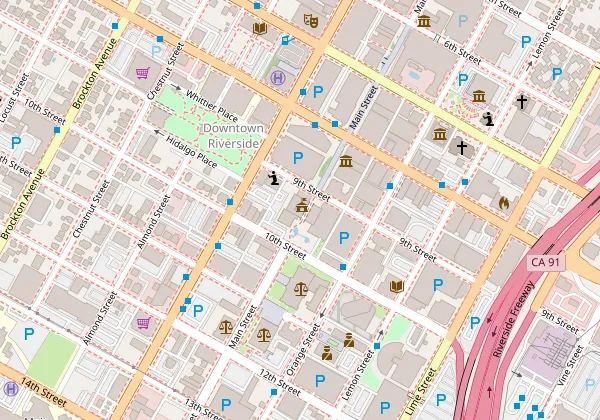
- Location
- Riverside
- Job no.
- P-1042
- Status
- In progress
- Description
- Residential tower, 24 floors and 96 units
 © OpenStreetMap
TeamTeam details
Mark Collins Project manager
David Miller Site manager
Sarah Bennett Site engineer
GuaranteesAll guarantees
GRT-2041 Guarantee · Client · 24 days left
GRT-1987 Guarantee · Client · Advance
POL-5520 Other · Client · CAR insurance
GRT-2110 Guarantee · Company · Warranty
BillsAll bills
Bill 8 Submitted
Bill 7 Client approved
Bill 6 Partially paid
General details Edit
- Job no.
- P-1042
- Name
- Oakridge Tower
- Client
- Oakridge Properties Ltd.
- Framework agreement
- —
- Division
- Residential
- Status
- In progress
Contract details Edit
- Contract no.
- DK-2025-017
- Contract type
- Lump sum
- Tender no.
- T-114/24
- Signing date
- 12/01/2025
- Client signing date
- 19/01/2025
- Contract value
- ₪48,500,000
Schedule Edit
- Start order date
- 01/03/2025
- Est. duration (months)
- 28
- Expected completion
- 30/06/2027
Team Edit
- Project manager
- Mark Collins
- Site manager
- David Miller
- Site engineer
- Sarah Bennett
| No. | Description | Quantity | Contract total | Priced total | Status | ||
|---|---|---|---|---|---|---|---|
| 01.010 | Excavation and compacted fill | 4,200 m³ | ₪2,140,000 | ₪2,088,000 | Closed | 01.010 · ₪2,140,000 | |
| 02.010 | B-40 concrete for foundations | 1,850 m³ | ₪2,960,000 | ₪2,915,000 | Closed | 02.010 · ₪2,960,000 | |
| 02.020 | Cast-in-place concrete slabs | 9,600 m² | ₪7,680,000 | ₪7,412,000 | Priced | 02.020 · ₪7,680,000 | |
| 02.030 | Walls and safe rooms | 6,300 m² | ₪4,180,000 | ₪4,055,000 | Priced | 02.030 · ₪4,180,000 | |
| 04.010 | 20 cm blocks | 11,400 m² | ₪2,620,000 | ₪2,540,000 | Priced | 04.010 · ₪2,620,000 | |
| 05.010 | Basement waterproofing | 3,100 m² | ₪1,240,000 | ₪1,198,000 | Priced | 05.010 · ₪1,240,000 | |
| 05.020 | Roof waterproofing | 1,050 m² | ₪710,000 | — | Not priced | 05.020 · ₪710,000 | |
| 08.010 | Electrical and comms | Lump sum | ₪3,400,000 | — | Not priced | 08.010 · ₪3,400,000 | |
| 19.010 | Metalwork and railings | 920 m | ₪1,180,000 | — | Not priced | 19.010 · ₪1,180,000 | |
| 22.010 | Flooring and cladding | 8,700 m² | ₪3,860,000 | — | Not priced | 22.010 · ₪3,860,000 | |
| 30.010 | Elevators | 4 units | ₪2,700,000 | — | Not priced | 30.010 · ₪2,700,000 |
| Status | Subcontractor | Trade | Start date | End date | Contract | Quality | Schedule | ||
|---|---|---|---|---|---|---|---|---|---|
| Active | Northfield Earthworks Ltd. | Earthworks | 03/2025 | 08/2025 | ₪2,140,000 | ★★★★★ | ★★★★☆ | Earthworks · ₪2,140,000 | |
| Active | Valley Steel Ltd. | Rebar and frame | 06/2025 | 02/2027 | ₪6,380,000 | ★★★★☆ | ★★★★☆ | Rebar and frame · ₪6,380,000 | |
| Active | Apex Waterproofing | Waterproofing | 02/2026 | 12/2026 | ₪1,720,000 | ★★★★★ | ★★★★★ | Waterproofing · ₪1,720,000 | |
| Active | Hillcrest Electric Ltd. | Electrical | 04/2026 | 05/2027 | ₪3,050,000 | ★★★★☆ | ★★★☆☆ | Electrical · ₪3,050,000 | |
| Active | Lowland Plumbing | Plumbing | 05/2026 | 05/2027 | ₪2,480,000 | ★★★★☆ | ★★★★☆ | Plumbing · ₪2,480,000 | |
| Active | Highland Plaster & Paint | Plaster and paint | 09/2026 | 06/2027 | ₪1,390,000 | ★★★★☆ | ★★★★★ | Plaster and paint · ₪1,390,000 | |
| Completed | Central Shoring & Drilling | Shoring and piling | 03/2025 | 07/2025 | ₪3,120,000 | ★★★★★ | ★★★★☆ | Shoring and piling · ₪3,120,000 | |
| Not started | Ridgeline Windows | Aluminum | 01/2027 | 05/2027 | ₪2,960,000 | — | — | Aluminum · ₪2,960,000 | |
| Not started | Valley Elevators | Elevators | 02/2027 | 06/2027 | ₪2,700,000 | — | — | Elevators · ₪2,700,000 |
| Date | Diary type | Diary no. | Work progress | ||
|---|---|---|---|---|---|
| 04/11/2026 | Internal | 215 | Floor 7 slab pour, 12 Northfield Earthworks workers. One-hour stop, concrete arrived late | 04/11/2026 · 215 | |
| 03/11/2026 | Internal | 214 | Floor 7 slab rebar tying, pour prep | 03/11/2026 · 214 | |
| 02/11/2026 | Internal | 213 | Floor 7 slab formwork, north wing | 02/11/2026 · 213 | |
| 01/11/2026 | External | 212 | Inspector visit, floor 7 wall rebar approved | 01/11/2026 · 212 | |
| 30/10/2026 | Internal | 211 | Basement -2 waterproofing, bitumen membranes | 30/10/2026 · 211 | |
| 29/10/2026 | Internal | 210 | Floor 6 formwork stripping | 29/10/2026 · 210 | |
| 28/10/2026 | Internal | 209 | Floor 6 wall pour, concrete pump and crane | 28/10/2026 · 209 | |
| 27/10/2026 | Internal | 208 | Rebar delivery and lift to floor 6 | 27/10/2026 · 208 | |
| 26/10/2026 | External | 207 | Concrete lab test, floor 5 | 26/10/2026 · 207 | |
| 23/10/2026 | Internal | 206 | Floor 6 wall formwork | 23/10/2026 · 206 | |
| 22/10/2026 | Internal | 205 | Floor 6 slab pour, south wing | 22/10/2026 · 205 |
| Reference no. | Type | Beneficiary | Description | Revalued balance | Current end date | Status | ||
|---|---|---|---|---|---|---|---|---|
| GRT-2041 | Guarantee | Client | Performance guarantee, ends in 24 days | ₪62,500 | 28/11/2026 | Active | ₪62,500 · 28/11/2026 | |
| GRT-1987 | Guarantee | Client | Advance payment guarantee | ₪2,425,000 | 31/03/2027 | Active | ₪2,425,000 · 31/03/2027 | |
| GRT-2110 | Guarantee | Company | Warranty guarantee from Northfield Earthworks Ltd. | ₪107,000 | 15/06/2027 | Active | ₪107,000 · 15/06/2027 | |
| GRT-2087 | Guarantee | Company | Performance guarantee from Valley Steel | ₪319,000 | 31/01/2027 | Active | ₪319,000 · 31/01/2027 | |
| SN-0412 | Promissory note | Company | Promissory note from Apex Waterproofing | ₪172,000 | 31/12/2026 | Active | ₪172,000 · 31/12/2026 | |
| POL-5520 | Other | Client | Contractor's all-risk insurance | ₪48,500,000 | 30/06/2027 | Active | ₪48,500,000 · 30/06/2027 | |
| POL-5521 | Other | Company | Third-party liability insurance | ₪20,000,000 | 30/06/2027 | Active | ₪20,000,000 · 30/06/2027 | |
| POL-5534 | Other | Company | Employer's liability insurance | ₪20,000,000 | 31/12/2026 | Active | ₪20,000,000 · 31/12/2026 | |
| GRT-1840 | Guarantee | Client | Bid guarantee | ₪0 | 30/04/2025 | Released | ₪0 · 30/04/2025 |
8 Total bills
₪7,755,800 Total submitted
₪6,322,900 Total approved
₪4,660,400 Total paid
| Status | Bill no. | Bill type | Period | Amount submitted | Paid | Expected payment | Back-to-back | ||
|---|---|---|---|---|---|---|---|---|---|
| Submitted | 8 | Partial | 09/2026 | ₪1,432,900 | — | 05/12/2026 | No | 09/2026 · ₪1,432,900 · 05/12/2026 | |
| Client approved | 7 | Partial | 08/2026 | ₪1,214,300 | — | 05/11/2026 | No | 08/2026 · ₪1,214,300 · 05/11/2026 | |
| Partially paid | 6 | Partial | 07/2026 | ₪1,048,200 | ₪600,000 | 05/10/2026 | No | 07/2026 · ₪1,048,200 · 05/10/2026 | |
| Paid | 5 | Partial | 06/2026 | ₪986,400 | ₪986,400 | 05/09/2026 | No | 06/2026 · ₪986,400 · 05/09/2026 | |
| Paid | 4 | Partial | 05/2026 | ₪905,300 | ₪905,300 | 05/08/2026 | No | 05/2026 · ₪905,300 · 05/08/2026 | |
| Paid | 3 | Partial | 04/2026 | ₪821,500 | ₪821,500 | 05/07/2026 | No | 04/2026 · ₪821,500 · 05/07/2026 | |
| Paid | 2 | Partial | 03/2026 | ₪734,800 | ₪734,800 | 05/06/2026 | No | 03/2026 · ₪734,800 · 05/06/2026 | |
| Paid | 1 | Partial | 02/2026 | ₪612,400 | ₪612,400 | 05/05/2026 | No | 02/2026 · ₪612,400 · 05/05/2026 |
| Name | Employer | Trade | Headcount | Days worked in Oct | Status | |||
|---|---|---|---|---|---|---|---|---|
| Formwork and pour crew | Northfield Earthworks Ltd. | Formwork and concrete | 12 | 21 | Active | Northfield Earthworks Ltd. · 12 | ||
| Rebar crew | Valley Steel Ltd. | Rebar and frame | 8 | 20 | Active | Valley Steel Ltd. · 8 | ||
| Waterproofing crew | Apex Waterproofing | Waterproofing | 4 | 9 | Active | Apex Waterproofing · 4 | ||
| Electrical crew | Hillcrest Electric Ltd. | Electrical | 5 | 14 | Active | Hillcrest Electric Ltd. · 5 | ||
| Plumbing crew | Lowland Plumbing | Plumbing | 4 | 12 | Active | Lowland Plumbing · 4 | ||
| Plaster crew | Highland Plaster & Paint | Plaster and paint | 6 | 7 | Active | Highland Plaster & Paint · 6 | ||
| Tom Harris | Highland Cranes Ltd. | Tower crane operator | 1 | 21 | Active | Highland Cranes Ltd. · 1 | ||
| David Miller | Company | Site manager | 1 | 22 | Active | Company · 1 | ||
| Sarah Bennett | Company | Site engineer | 1 | 19 | On leave | Company · 1 | ||
| Shoring crew | Central Shoring & Drilling | Shoring and piling | 6 | 0 | Inactive | Central Shoring & Drilling · 6 |
| Description | Type | License | Ownership | Supplier | On site | Inspection due | Status | |||
|---|---|---|---|---|---|---|---|---|---|---|
| Liebherr 172 crane | Tower crane | 45-118 | Rented | Highland Cranes | 15/04/2025 | 18/11/2026 | Active | Tower crane · 18/11/2026 | ||
| Schwing S 36 pump | Concrete pump | 78-342-61 | Rented | Central Pumps | 02/09/2025 | 30/01/2027 | Active | Concrete pump · 30/01/2027 | ||
| JCB 3CX backhoe | Backhoe | 41-207-12 | Owned | — | 03/03/2025 | 22/02/2027 | Active | Backhoe · 22/02/2027 | ||
| JLG 600S boom lift | Boom lift | 60-017-44 | Rented | Metro Rental | 01/10/2026 | 09/11/2026 | Active | Boom lift · 09/11/2026 | ||
| Manitou telehandler | Telehandler | 52-611-30 | Rented | Metro Rental | 10/06/2025 | 05/12/2026 | Active | Telehandler · 05/12/2026 | ||
| Toyota 3 t forklift | Forklift | 38-224-17 | Owned | — | 20/08/2025 | 28/03/2027 | In repair | Forklift · 28/03/2027 | ||
| 2-person man basket | Man basket | — | Rented | Highland Cranes | 15/04/2025 | 20/01/2027 | Active | Man basket · 20/01/2027 | ||
| CAT 320 excavator | Excavator | 41-198-05 | Owned | — | 03/03/2025 | 14/05/2027 | In storage | Excavator · 14/05/2027 | ||
| 100 kVA generator | Generator | — | Rented | Site Power | 15/04/2025 | — | Active | Generator | ||
| Atlas Copco compressor | Compressor | — | Owned | — | 12/02/2026 | — | Inactive | Compressor |
| File name | Uploaded | Notes | ||
|---|---|---|---|---|
| Signed main contract - Oakridge Properties.pdf | 12/01/2025 | Lump-sum contract, incl. appendices | 12/01/2025 · Lump-sum contract, incl. appendices | |
| Building permit 2024-1187.pdf | 20/02/2025 | Full permit | 20/02/2025 · Full permit | |
| Soil consultant approval - shoring.pdf | 11/03/2025 | 11/03/2025 | ||
| CAR policy POL-5520.pdf | 25/02/2025 | Valid until 30/06/2027 | 25/02/2025 · Valid until 30/06/2027 | |
| Updated BOQ - rev 4.xlsx | 14/09/2026 | After tenant changes | 14/09/2026 · After tenant changes | |
| Bill 3 - Pro forma invoice.pdf | 05/10/2026 | Saved from chat | 05/10/2026 · Saved from chat | |
| Tower crane inspection - 10.2026.pdf | 21/10/2026 | Expired, renew | 21/10/2026 · Expired, renew | |
| Coordination meeting minutes 41.docx | 28/10/2026 | 28/10/2026 | ||
| Schedule - October update.mpp | 30/10/2026 | 30/10/2026 | ||
| Floor 7 structural plan.dwg | 01/11/2026 | Rev C | 01/11/2026 · Rev C |
ProjectsTotal: 11
Current tableMapArchive
6 In progress
2 Not started
1 Behind schedule
₪383,500,000 Total contract value
| Job no. | Name | Client | Division | Status | Contract type | Contract value | |||
|---|---|---|---|---|---|---|---|---|---|
| P-1042 | Oakridge Tower | Oakridge Properties Ltd. | Residential | In progress | Lump sum | ₪48,500,000 | P-1042 · Oakridge Properties Ltd. | ||
| P-1037 | Elmwood Quarter, Bldgs C–D | Elmwood Development Ltd. | Residential | In progress | BOQ | ₪31,200,000 | P-1037 · Elmwood Development Ltd. | ||
| P-1029 | Kingsway 12–18 Renewal | Kingsway Urban Ltd. | Urban renewal | In progress | Lump sum | ₪64,800,000 | P-1029 · Kingsway Urban Ltd. | ||
| P-1051 | Brookside School | Valley Schools Ltd. | Public buildings | Not started | BOQ | ₪18,900,000 | P-1051 · Valley Schools Ltd. | ||
| P-0988 | Vineyard Mall, Phase A | Vineyard Real Estate Ltd. | Commercial | Handed over | Lump sum | ₪27,400,000 | P-0988 · Vineyard Real Estate Ltd. | ||
| P-0954 | Pinewood House | Pinewood Senior Living Ltd. | Public buildings | Completed | BOQ | ₪22,100,000 | P-0954 · Pinewood Senior Living Ltd. | ||
| P-1044 | Hillcrest Student Housing | Hillcrest Housing Ltd. | Residential | In progress | Lump sum | ₪39,600,000 | P-1044 · Hillcrest Housing Ltd. | ||
| P-1033 | Creek Bridge, Route 4 | Northern Roads Ltd. | Infrastructure | In progress | BOQ | ₪15,700,000 | P-1033 · Northern Roads Ltd. | ||
| P-1056 | Seismic retrofit, 9 Daffodil St. | 9 Daffodil St. Residents | Urban renewal | Not started | Lump sum | ₪12,300,000 | P-1056 · 9 Daffodil St. Residents | ||
| P-0971 | Valley Logistics Center | Valley Logistics Ltd. | Industrial | Completed | Lump sum | ₪44,900,000 | P-0971 · Valley Logistics Ltd. | ||
| P-1048 | Seaside Towers, Bldg B | Seaside Assets Ltd. | Residential | In progress | Lump sum | ₪58,100,000 | P-1048 · Seaside Assets Ltd. |
Projects›Oakridge Tower
P-1042 · Updated 24.10.2026
In progress
Overview General Budget Subcontracts 9 Work diaries 11 Guarantees 9 Bills 8 Manpower 10 Equipment 10 Files
Planning
Permits
Excavation
4 Structure
5 Finishes
6 Handover
7 Warranty
Project detailsAll details
- Location
- Riverside
- Job no.
- P-1042
- Status
- In progress
- Description
- Residential tower, 24 floors and 96 units
© OpenStreetMap TeamTeam details
Mark Collins Project manager
David Miller Site manager
Sarah Bennett Site engineer
GuaranteesAll guarantees
GRT-2041 Guarantee · Client · 24 days left
GRT-1987 Guarantee · Client · Advance
POL-5520 Other · Client · CAR insurance
GRT-2110 Guarantee · Company · Warranty
BillsAll bills
Bill 8 Submitted
Bill 7 Client approved
Bill 6 Partially paid
General details Edit
- Job no.
- P-1042
- Name
- Oakridge Tower
- Client
- Oakridge Properties Ltd.
- Framework agreement
- —
- Division
- Residential
- Status
- In progress
Contract details Edit
- Contract no.
- DK-2025-017
- Contract type
- Lump sum
- Tender no.
- T-114/24
- Signing date
- 12/01/2025
- Client signing date
- 19/01/2025
- Contract value
- ₪48,500,000
Schedule Edit
- Start order date
- 01/03/2025
- Est. duration (months)
- 28
- Expected completion
- 30/06/2027
Team Edit
- Project manager
- Mark Collins
- Site manager
- David Miller
- Site engineer
- Sarah Bennett
| No. | Description | Quantity | Contract total | Priced total | Status | ||
|---|---|---|---|---|---|---|---|
| 01.010 | Excavation and compacted fill | 4,200 m³ | ₪2,140,000 | ₪2,088,000 | Closed | 01.010 · ₪2,140,000 | |
| 02.010 | B-40 concrete for foundations | 1,850 m³ | ₪2,960,000 | ₪2,915,000 | Closed | 02.010 · ₪2,960,000 | |
| 02.020 | Cast-in-place concrete slabs | 9,600 m² | ₪7,680,000 | ₪7,412,000 | Priced | 02.020 · ₪7,680,000 | |
| 02.030 | Walls and safe rooms | 6,300 m² | ₪4,180,000 | ₪4,055,000 | Priced | 02.030 · ₪4,180,000 | |
| 04.010 | 20 cm blocks | 11,400 m² | ₪2,620,000 | ₪2,540,000 | Priced | 04.010 · ₪2,620,000 | |
| 05.010 | Basement waterproofing | 3,100 m² | ₪1,240,000 | ₪1,198,000 | Priced | 05.010 · ₪1,240,000 | |
| 05.020 | Roof waterproofing | 1,050 m² | ₪710,000 | — | Not priced | 05.020 · ₪710,000 | |
| 08.010 | Electrical and comms | Lump sum | ₪3,400,000 | — | Not priced | 08.010 · ₪3,400,000 | |
| 19.010 | Metalwork and railings | 920 m | ₪1,180,000 | — | Not priced | 19.010 · ₪1,180,000 | |
| 22.010 | Flooring and cladding | 8,700 m² | ₪3,860,000 | — | Not priced | 22.010 · ₪3,860,000 | |
| 30.010 | Elevators | 4 units | ₪2,700,000 | — | Not priced | 30.010 · ₪2,700,000 |
| Status | Subcontractor | Trade | Start date | End date | Contract | Quality | Schedule | ||
|---|---|---|---|---|---|---|---|---|---|
| Active | Northfield Earthworks Ltd. | Earthworks | 03/2025 | 08/2025 | ₪2,140,000 | ★★★★★ | ★★★★☆ | Earthworks · ₪2,140,000 | |
| Active | Valley Steel Ltd. | Rebar and frame | 06/2025 | 02/2027 | ₪6,380,000 | ★★★★☆ | ★★★★☆ | Rebar and frame · ₪6,380,000 | |
| Active | Apex Waterproofing | Waterproofing | 02/2026 | 12/2026 | ₪1,720,000 | ★★★★★ | ★★★★★ | Waterproofing · ₪1,720,000 | |
| Active | Hillcrest Electric Ltd. | Electrical | 04/2026 | 05/2027 | ₪3,050,000 | ★★★★☆ | ★★★☆☆ | Electrical · ₪3,050,000 | |
| Active | Lowland Plumbing | Plumbing | 05/2026 | 05/2027 | ₪2,480,000 | ★★★★☆ | ★★★★☆ | Plumbing · ₪2,480,000 | |
| Active | Highland Plaster & Paint | Plaster and paint | 09/2026 | 06/2027 | ₪1,390,000 | ★★★★☆ | ★★★★★ | Plaster and paint · ₪1,390,000 | |
| Completed | Central Shoring & Drilling | Shoring and piling | 03/2025 | 07/2025 | ₪3,120,000 | ★★★★★ | ★★★★☆ | Shoring and piling · ₪3,120,000 | |
| Not started | Ridgeline Windows | Aluminum | 01/2027 | 05/2027 | ₪2,960,000 | — | — | Aluminum · ₪2,960,000 | |
| Not started | Valley Elevators | Elevators | 02/2027 | 06/2027 | ₪2,700,000 | — | — | Elevators · ₪2,700,000 |
| Date | Diary type | Diary no. | Work progress | ||
|---|---|---|---|---|---|
| 04/11/2026 | Internal | 215 | Floor 7 slab pour, 12 Northfield Earthworks workers. One-hour stop, concrete arrived late | 04/11/2026 · 215 | |
| 03/11/2026 | Internal | 214 | Floor 7 slab rebar tying, pour prep | 03/11/2026 · 214 | |
| 02/11/2026 | Internal | 213 | Floor 7 slab formwork, north wing | 02/11/2026 · 213 | |
| 01/11/2026 | External | 212 | Inspector visit, floor 7 wall rebar approved | 01/11/2026 · 212 | |
| 30/10/2026 | Internal | 211 | Basement -2 waterproofing, bitumen membranes | 30/10/2026 · 211 | |
| 29/10/2026 | Internal | 210 | Floor 6 formwork stripping | 29/10/2026 · 210 | |
| 28/10/2026 | Internal | 209 | Floor 6 wall pour, concrete pump and crane | 28/10/2026 · 209 | |
| 27/10/2026 | Internal | 208 | Rebar delivery and lift to floor 6 | 27/10/2026 · 208 | |
| 26/10/2026 | External | 207 | Concrete lab test, floor 5 | 26/10/2026 · 207 | |
| 23/10/2026 | Internal | 206 | Floor 6 wall formwork | 23/10/2026 · 206 | |
| 22/10/2026 | Internal | 205 | Floor 6 slab pour, south wing | 22/10/2026 · 205 |
| Reference no. | Type | Beneficiary | Description | Revalued balance | Current end date | Status | ||
|---|---|---|---|---|---|---|---|---|
| GRT-2041 | Guarantee | Client | Performance guarantee, ends in 24 days | ₪62,500 | 28/11/2026 | Active | ₪62,500 · 28/11/2026 | |
| GRT-1987 | Guarantee | Client | Advance payment guarantee | ₪2,425,000 | 31/03/2027 | Active | ₪2,425,000 · 31/03/2027 | |
| GRT-2110 | Guarantee | Company | Warranty guarantee from Northfield Earthworks Ltd. | ₪107,000 | 15/06/2027 | Active | ₪107,000 · 15/06/2027 | |
| GRT-2087 | Guarantee | Company | Performance guarantee from Valley Steel | ₪319,000 | 31/01/2027 | Active | ₪319,000 · 31/01/2027 | |
| SN-0412 | Promissory note | Company | Promissory note from Apex Waterproofing | ₪172,000 | 31/12/2026 | Active | ₪172,000 · 31/12/2026 | |
| POL-5520 | Other | Client | Contractor's all-risk insurance | ₪48,500,000 | 30/06/2027 | Active | ₪48,500,000 · 30/06/2027 | |
| POL-5521 | Other | Company | Third-party liability insurance | ₪20,000,000 | 30/06/2027 | Active | ₪20,000,000 · 30/06/2027 | |
| POL-5534 | Other | Company | Employer's liability insurance | ₪20,000,000 | 31/12/2026 | Active | ₪20,000,000 · 31/12/2026 | |
| GRT-1840 | Guarantee | Client | Bid guarantee | ₪0 | 30/04/2025 | Released | ₪0 · 30/04/2025 |
8 Total bills
₪7,755,800 Total submitted
₪6,322,900 Total approved
₪4,660,400 Total paid
| Status | Bill no. | Bill type | Period | Amount submitted | Paid | Expected payment | Back-to-back | ||
|---|---|---|---|---|---|---|---|---|---|
| Submitted | 8 | Partial | 09/2026 | ₪1,432,900 | — | 05/12/2026 | No | 09/2026 · ₪1,432,900 · 05/12/2026 | |
| Client approved | 7 | Partial | 08/2026 | ₪1,214,300 | — | 05/11/2026 | No | 08/2026 · ₪1,214,300 · 05/11/2026 | |
| Partially paid | 6 | Partial | 07/2026 | ₪1,048,200 | ₪600,000 | 05/10/2026 | No | 07/2026 · ₪1,048,200 · 05/10/2026 | |
| Paid | 5 | Partial | 06/2026 | ₪986,400 | ₪986,400 | 05/09/2026 | No | 06/2026 · ₪986,400 · 05/09/2026 | |
| Paid | 4 | Partial | 05/2026 | ₪905,300 | ₪905,300 | 05/08/2026 | No | 05/2026 · ₪905,300 · 05/08/2026 | |
| Paid | 3 | Partial | 04/2026 | ₪821,500 | ₪821,500 | 05/07/2026 | No | 04/2026 · ₪821,500 · 05/07/2026 | |
| Paid | 2 | Partial | 03/2026 | ₪734,800 | ₪734,800 | 05/06/2026 | No | 03/2026 · ₪734,800 · 05/06/2026 | |
| Paid | 1 | Partial | 02/2026 | ₪612,400 | ₪612,400 | 05/05/2026 | No | 02/2026 · ₪612,400 · 05/05/2026 |
| Name | Employer | Trade | Headcount | Days worked in Oct | Status | |||
|---|---|---|---|---|---|---|---|---|
| Formwork and pour crew | Northfield Earthworks Ltd. | Formwork and concrete | 12 | 21 | Active | Northfield Earthworks Ltd. · 12 | ||
| Rebar crew | Valley Steel Ltd. | Rebar and frame | 8 | 20 | Active | Valley Steel Ltd. · 8 | ||
| Waterproofing crew | Apex Waterproofing | Waterproofing | 4 | 9 | Active | Apex Waterproofing · 4 | ||
| Electrical crew | Hillcrest Electric Ltd. | Electrical | 5 | 14 | Active | Hillcrest Electric Ltd. · 5 | ||
| Plumbing crew | Lowland Plumbing | Plumbing | 4 | 12 | Active | Lowland Plumbing · 4 | ||
| Plaster crew | Highland Plaster & Paint | Plaster and paint | 6 | 7 | Active | Highland Plaster & Paint · 6 | ||
| Tom Harris | Highland Cranes Ltd. | Tower crane operator | 1 | 21 | Active | Highland Cranes Ltd. · 1 | ||
| David Miller | Company | Site manager | 1 | 22 | Active | Company · 1 | ||
| Sarah Bennett | Company | Site engineer | 1 | 19 | On leave | Company · 1 | ||
| Shoring crew | Central Shoring & Drilling | Shoring and piling | 6 | 0 | Inactive | Central Shoring & Drilling · 6 |
| Description | Type | License | Ownership | Supplier | On site | Inspection due | Status | |||
|---|---|---|---|---|---|---|---|---|---|---|
| Liebherr 172 crane | Tower crane | 45-118 | Rented | Highland Cranes | 15/04/2025 | 18/11/2026 | Active | Tower crane · 18/11/2026 | ||
| Schwing S 36 pump | Concrete pump | 78-342-61 | Rented | Central Pumps | 02/09/2025 | 30/01/2027 | Active | Concrete pump · 30/01/2027 | ||
| JCB 3CX backhoe | Backhoe | 41-207-12 | Owned | — | 03/03/2025 | 22/02/2027 | Active | Backhoe · 22/02/2027 | ||
| JLG 600S boom lift | Boom lift | 60-017-44 | Rented | Metro Rental | 01/10/2026 | 09/11/2026 | Active | Boom lift · 09/11/2026 | ||
| Manitou telehandler | Telehandler | 52-611-30 | Rented | Metro Rental | 10/06/2025 | 05/12/2026 | Active | Telehandler · 05/12/2026 | ||
| Toyota 3 t forklift | Forklift | 38-224-17 | Owned | — | 20/08/2025 | 28/03/2027 | In repair | Forklift · 28/03/2027 | ||
| 2-person man basket | Man basket | — | Rented | Highland Cranes | 15/04/2025 | 20/01/2027 | Active | Man basket · 20/01/2027 | ||
| CAT 320 excavator | Excavator | 41-198-05 | Owned | — | 03/03/2025 | 14/05/2027 | In storage | Excavator · 14/05/2027 | ||
| 100 kVA generator | Generator | — | Rented | Site Power | 15/04/2025 | — | Active | Generator | ||
| Atlas Copco compressor | Compressor | — | Owned | — | 12/02/2026 | — | Inactive | Compressor |
| File name | Uploaded | Notes | ||
|---|---|---|---|---|
| Signed main contract - Oakridge Properties.pdf | 12/01/2025 | Lump-sum contract, incl. appendices | 12/01/2025 · Lump-sum contract, incl. appendices | |
| Building permit 2024-1187.pdf | 20/02/2025 | Full permit | 20/02/2025 · Full permit | |
| Soil consultant approval - shoring.pdf | 11/03/2025 | 11/03/2025 | ||
| CAR policy POL-5520.pdf | 25/02/2025 | Valid until 30/06/2027 | 25/02/2025 · Valid until 30/06/2027 | |
| Updated BOQ - rev 4.xlsx | 14/09/2026 | After tenant changes | 14/09/2026 · After tenant changes | |
| Bill 3 - Pro forma invoice.pdf | 05/10/2026 | Saved from chat | 05/10/2026 · Saved from chat | |
| Tower crane inspection - 10.2026.pdf | 21/10/2026 | Expired, renew | 21/10/2026 · Expired, renew | |
| Coordination meeting minutes 41.docx | 28/10/2026 | 28/10/2026 | ||
| Schedule - October update.mpp | 30/10/2026 | 30/10/2026 | ||
| Floor 7 structural plan.dwg | 01/11/2026 | Rev C | 01/11/2026 · Rev C |
Recent chats
Vehicles and equipment due 14:39
New bill from file 14:39
Guarantees ending this month 14:39
Work process · 2.9s
Analyzed the request
Searching vehicles
Searched vehicles · 0.6s
Searching equipment
Searched equipment · 0.5s
Summarizing data
Summarized data · 1.8s
Two items have already expired, and three expire in the next 30 days.
5 items need attention. 2 have already expired; the rest expire within a month:
| Item | No. | Check | Valid until | State | |
|---|---|---|---|---|---|
| Liebherr 112 crane | Equip. 07 | Inspection | 21/10/2026 | 14 days overdue | Inspection · 21/10/2026 |
| Elmwood site pickup | 78-901-23 | License | 30/10/2026 | 5 days overdue | License · 30/10/2026 |
| JCB 3CX backhoe | Equip. 12 | Insurance | 12/11/2026 | In 8 days | Insurance · 12/11/2026 |
| Volvo FH truck | 34-567-89 | Annual test | 19/11/2026 | In 15 days | Annual test · 19/11/2026 |
| Manitou telehandler | Equip. 03 | Inspection | 02/12/2026 | In 28 days | Inspection · 02/12/2026 |
Should I prepare a report with all the items, to send to the fleet manager?
Work process · 4.2s
Analyzed the request
Generating report
Generated report · 4.2s
The report is ready:
Vehicles and equipment report.pdf
Ask or request an action What needs attention in vehicles and equipment? Ask or request an action Yes, prepare a report Ask or request an action
Vehicles and equipment report.pdf
Items due: vehicles and equipment
Generated 04/11/2026 · 5 items · 2 expired, 3 expire within 30 days
| # | Item | No. | Check | Valid until | State | Site | Owner | |
|---|---|---|---|---|---|---|---|---|
| 1 | Liebherr 112 crane | Equip. 07 | Inspection | 21/10/2026 | 14 days overdue | Oakridge Tower | David Miller | Inspection · 21/10/2026 · David Miller |
| 2 | Elmwood site pickup | 78-901-23 | License | 30/10/2026 | 5 days overdue | Elmwood Quarter | Tom Harris | License · 30/10/2026 · Tom Harris |
| 3 | JCB 3CX backhoe | Equip. 12 | Insurance | 12/11/2026 | In 8 days | Oakridge Tower | David Miller | Insurance · 12/11/2026 · David Miller |
| 4 | Volvo FH truck | 34-567-89 | Annual test | 19/11/2026 | In 15 days | Main warehouse | David Miller | Annual test · 19/11/2026 · David Miller |
| 5 | Manitou telehandler | Equip. 03 | Inspection | 02/12/2026 | In 28 days | Kingsway 12–18 | Chris Walker | Inspection · 02/12/2026 · Chris Walker |
Source: vehicle and equipment records in the system, as of 04/11/2026.
9:41
0:18
Today at Oakridge Tower: 12 Northfield Earthworks workers poured the floor 7 slab, with the crane and the concrete pump, sunny. We stopped for an hour because the concrete arrived late.
Work process · 8.2s
Analyzed the request
Transcribing recording
Transcribed recording · 1.9s
Reading photos
Read photos · 2.4s
Searching projects
Searched projects · 0.3s
Searching subcontractors
Searched subcontractors · 0.4s
Preparing records for approval
Preparing records for approval · 3.2s
Save work diary
| Field | Value |
|---|---|
| Date | 04/11/2026 |
| Project | Oakridge Tower |
| Diary type | Internal |
| Weather | Sunny |
| Manpower | Northfield Earthworks Ltd.: 12 workers |
| Equipment | Tower crane, concrete pump |
| Work progress | Slab pour, floor 7 |
| Delays | One-hour stop, concrete arrived late |
Photos (3)
The diary is waiting for your approval.
Check the details and choose whether to run the action. You can also write what to change.
ApproveSkip
Change saved · Saved: Work diary
Work diary 215 saved to Oakridge Tower, with the three photos.
Ask or request an action 0:18 Ask or request an action Ask or request an action

Illustration · sample data, not real
First we put your information in order.
Then it works for you.
We start by gathering what your firm already knows in one place. Then we give you tools to manage it, and in the end the system does part of the work itself.
Contact us-
Today
The information is everywhere.
Binders on site, a spreadsheet each project manager keeps to themselves, a WhatsApp group for every project, and notes stuck to the screen.
-
Step 1 · Knowledge
Everything your firm knows, in one place.
Years of spreadsheets, binders and email come in, and each item links to the project, supplier or worker it belongs to.
-
Step 2 · Management
Manage it from the system, and hear about problems in time.
A table for every project, a plain question to the agent, and a reminder before a guarantee expires or an insurance policy lapses.
-
Step 3 · Work
Part of the work moves to the system.
It reads the subcontractor's bill, fills in the amounts and gets it ready to save. Someone on your team checks it and approves.
Want to see how it
would look at your firm?
A short call. You tell us how the firm works, and together we see whether we can help.
Or write to us: office@sheled.ai